Career Insights
How Recruiters Search LinkedIn in India And How to Make Sure They Find You
You filled every section. Added your photo, skills, and work history. Yet still no recruiter messages, no profile views, no interview calls. The problem is not your profile. It is that you built it for the wrong audience. Discover exactly how recruiters in India search LinkedIn and what to fix so they find you first.
By Kavya · 14 Jun 2026
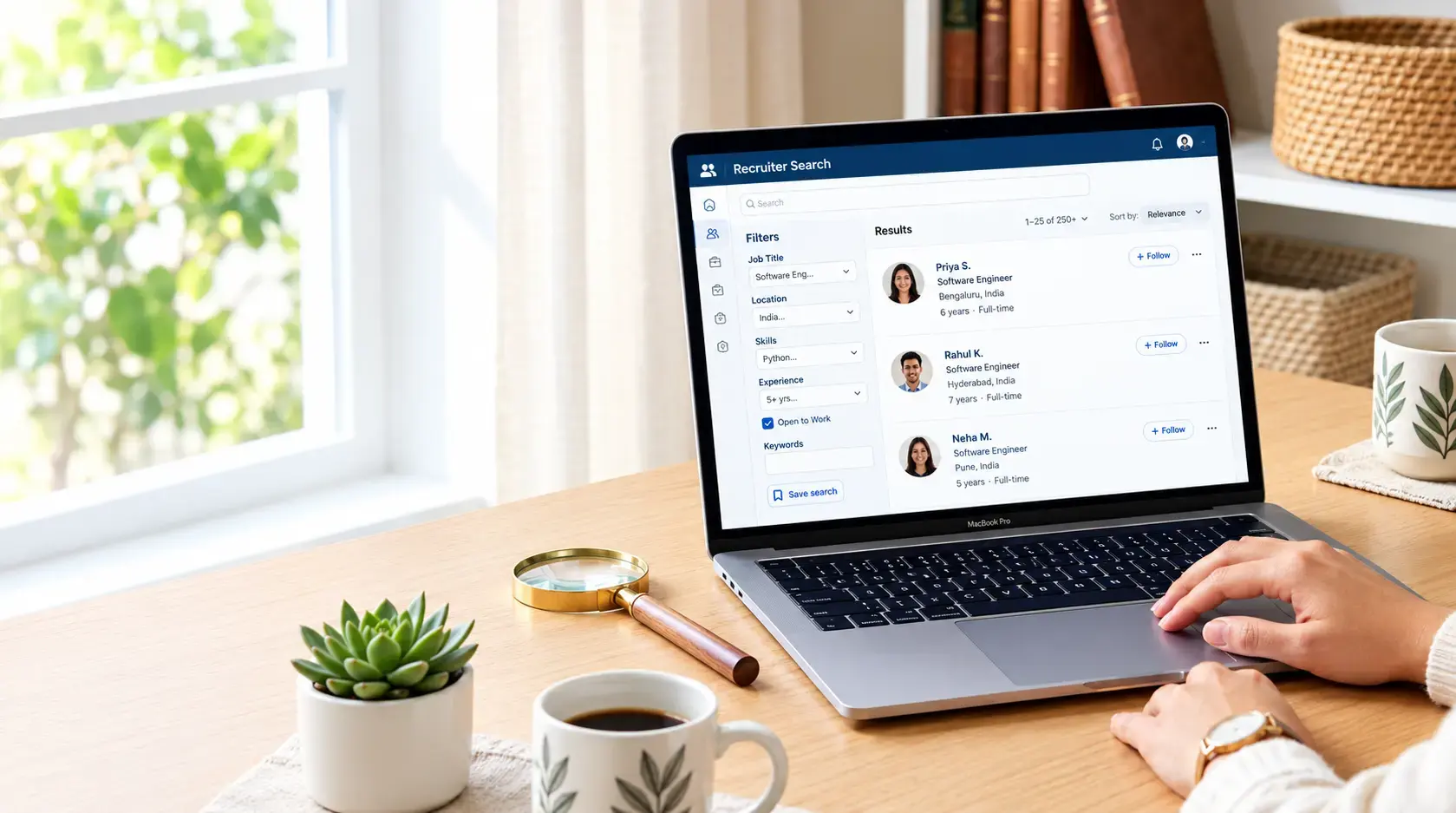
Recruiters in India use LinkedIn Recruiter to filter candidates by job title, location (city-level), skills, years of experience, and Open to Work status.
To appear in their search results, your headline must contain exact job title keywords, your location must be set to your target city, your skills section must match what recruiters type, and your profile must signal active job seeking.
Your LinkedIn Profile Is Complete. So Why Are Recruiters Not Finding You?
You filled in every section. You added your work experience, your education, your skills. You even uploaded a professional photo. And yet no recruiter messages. No profile views. No interview calls.
The problem is not your profile. The problem is that you built it for the wrong audience.
Most professionals optimize their LinkedIn profile for other people who visit it. But recruiters in India do not browse profiles randomly. They search. They filter. They shortlist from the top of a ranked results page and if your profile is not built around how they search, it simply does not appear.
India now has over 120 million LinkedIn users (LinkedIn, 2025), making it the second largest LinkedIn market in the world. That is an enormous amount of competition for every recruiter search. Recruiters typically contact only the first page of results meaning profiles ranked beyond position 20 rarely receive outreach.
This blog will show you exactly how recruiters in India search LinkedIn which filters they use, what terms they type, what signals they look for and what you need to fix to appear at the top of their results.
How Recruiters Actually Search LinkedIn in India
Recruiters at Indian companies TCS, Infosys, Wipro, product startups, MNCs, and consulting firms do not scroll through profiles manually. They use LinkedIn Recruiter, a paid tool that gives them powerful filters to narrow down the entire candidate pool to a shortlist in minutes.
Here is what a typical recruiter search looks like:
A hiring manager at a Bengaluru fintech startup needs a Senior Data Engineer with 5 to 7 years of experience. The recruiter opens LinkedIn Recruiter and types "Data Engineer" in the title field. They set the location to "Bengaluru". They filter skills to include "Apache Spark", "Python", "AWS". They set the experience range to 5 to 8 years. They toggle Open to Work candidates to the top. LinkedIn returns a ranked list of profiles. The recruiter contacts the top 15 to 20 profiles. Everyone else does not know the search even happened.
This is the reality of how your profile gets discovered or does not. Let us break down each filter and exactly how to optimize for it.
The 6 Profile Fields Recruiters Filter By And How to Optimize Each
1. Job Title / Headline The Most Critical Search Field
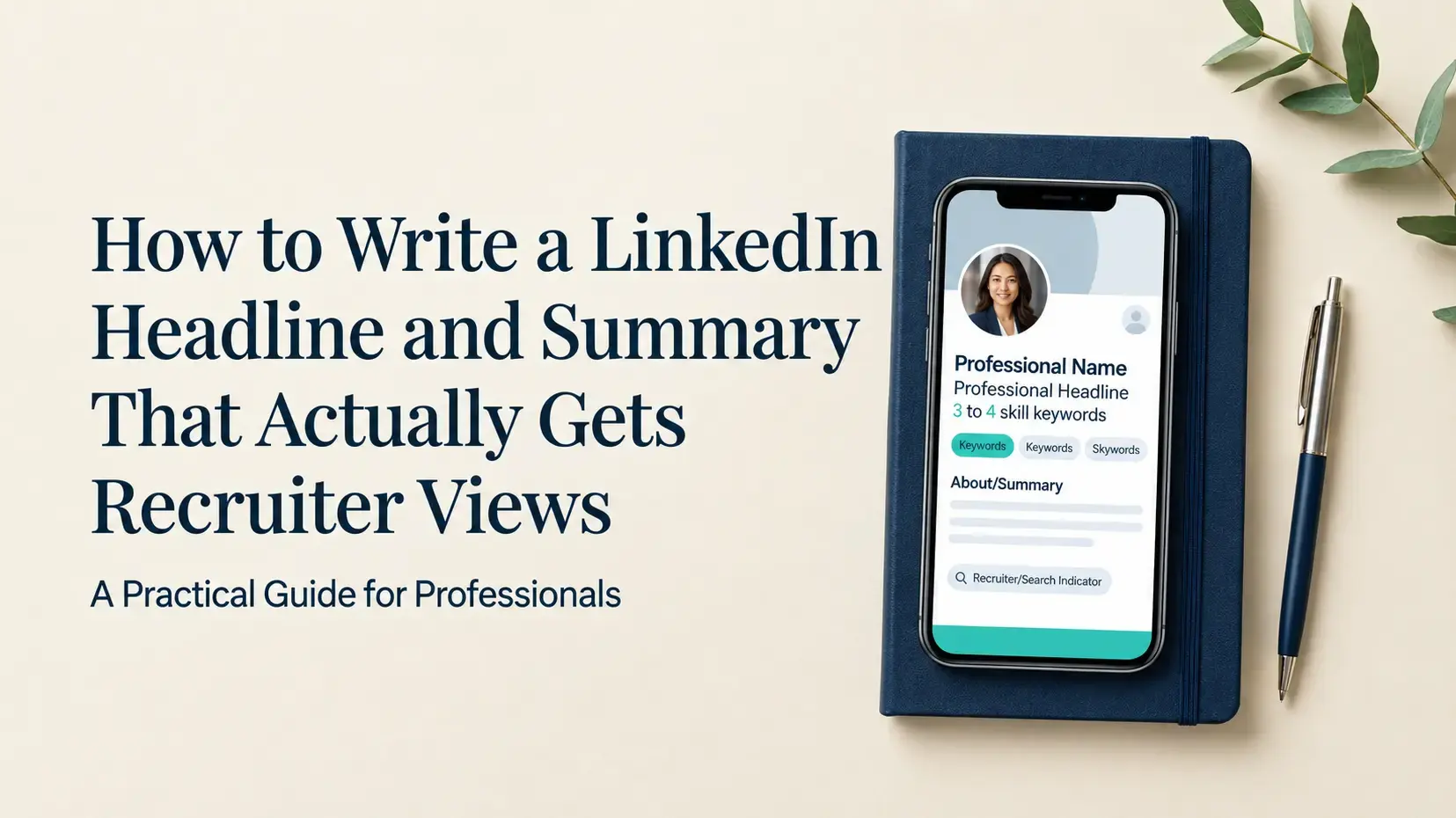
When a recruiter types a job title into LinkedIn Recruiter, the algorithm matches it against your current job title and your headline. This is the single most important field for search visibility.
What recruiters type for common India roles:
"Java Developer" not "Software Engineer"
"Data Analyst" not "Analytics Professional"
"Business Analyst" not "Process Improvement Specialist"
"DevOps Engineer" not "Infrastructure Expert"
"HR Business Partner" not "People Operations Professional"
The Fix: Use the exact industry-standard job title in your headline. Do not get creative with titles. A recruiter searching for "QA Engineer" will not find your profile if your headline says "Quality Champion."
Headline formula that works:
[Exact Job Title] | [2-3 Core Skills] | [Years of Experience or Certification]
Example: "Java Developer | Spring Boot, Microservices, AWS | 4 Years | Available for Product Roles"
2. Location Set It to Your Target City, Not Just India
This is the most common mistake Indian professionals make. Recruiters filter by city, not by country. If your location is set to "India" instead of "Bengaluru" or "Hyderabad", you will not appear in city-level recruiter searches which is how almost all Indian recruiters search.
The Fix: Set your location to the specific city you are targeting or currently based in. If you are open to relocation, mention it in your About section but keep your location set to your primary target city.
High-demand cities for recruiter searches in India:
Bengaluru — IT, product, startups
Hyderabad — IT services, pharma, BFSI
Mumbai — BFSI, consulting, media
Pune — IT services, manufacturing, engineering
Delhi NCR — government, consulting, FMCG
3. Skills Recruiters Search by Exact Skill Terms
LinkedIn Recruiter allows recruiters to filter by specific skills. The algorithm matches the skills listed in your Skills section against the recruiter's filter. If your skill is not listed exactly as the recruiter typed it, your profile does not appear even if you have the skill.
What recruiters actually type India-specific examples:
IT: "AWS", "Azure", "React.js", "Node.js", "Spring Boot", "Kubernetes", "Selenium", "JIRA"
Data: "Python", "SQL", "Power BI", "Tableau", "Apache Spark", "Machine Learning"
Finance: "SAP FICO", "Financial Modelling", "GST", "Tally", "Risk Management"
HR: "Talent Acquisition", "HRIS", "Workday", "SuccessFactors", "Compensation & Benefits"
The Fix: Add up to 50 skills. Put your most recruiter-searched skills in the top 3 positions LinkedIn's algorithm weighs the first 3 skills most heavily. Take LinkedIn Skill Assessments for your top skills verified badges rank 30% higher in recruiter searches.
4. Years of Experience Match the Seniority Level Recruiters Search For
Recruiters filter by years of experience to match seniority requirements. A recruiter searching for a mid-level candidate (3 to 6 years) will filter out profiles below 3 years and above 8 years. Your experience dates on LinkedIn must accurately reflect your total experience.
Common mistake: Listing only your current company's experience and not your total career timeline. If you have 8 years of experience but only listed your last 3 years, LinkedIn's algorithm calculates you as a 3-year professional and you get filtered out of senior searches.
The Fix: Add every role you have held with accurate start and end dates. Even if you briefly worked somewhere for 8 months, include it. The algorithm uses your full experience timeline to calculate seniority.
5. Open To Work The Signal Recruiters Actively Filter For
LinkedIn Recruiter has a dedicated filter for Open to Work candidates. Many recruiters toggle this on by default — meaning if your Open to Work settings are not configured, you are invisible to a large portion of recruiter searches.
The Fix: Go to your profile → Open to → Finding a new job. Set your preferences:
Target job titles — add 3 to 5 exact titles recruiters would search
Preferred locations — add your target city and "Remote" if applicable
Start date — set "Immediately" or "Within a month" to signal urgency
Visibility — set to "Recruiters only" if you do not want your current employer to see the green banner
6. About Section Keywords What LinkedIn's Algorithm Reads for Relevance
LinkedIn's search algorithm reads the text in your About section to determine relevance for recruiter searches. A strong About section that naturally includes your target job title, industry, key skills, and value proposition significantly improves your search ranking.
The Fix: Write your About section as a keyword-rich but natural narrative. Include your job title, top 3 to 5 skills, and the type of roles you are targeting in the first 2 sentences — LinkedIn shows only the first 210 characters before truncation on desktop.
Example opening for an IT professional:
"Java Developer with 5 years of experience building scalable microservices using Spring Boot, AWS, and Docker. Currently open to Senior Developer and Tech Lead roles at product companies in Hyderabad and Bengaluru."
What Recruiters Skip Instantly Red Flags That Hurt Your Visibility
After years on the hiring side, our team at ProfileNext has seen patterns in the profiles that recruiters skip. Here are the most common visibility killers:
Generic headline like "Fresher" or "Seeking New Opportunities" matches no keyword search
No profile photo profiles without photos get significantly fewer clicks in search results
Empty About section missed opportunity for keyword indexing and first impression
Skills like "Microsoft Word" or "Teamwork" signal poor prioritization to recruiters
Location set to "India" instead of a specific city invisible in city-level searches
Profile inactive for 90+ days LinkedIn's algorithm de-prioritizes inactive profiles in search rankings
No Open to Work settings configured filtered out of recruiter searches by default
India-Specific Signals Recruiters Look For
Hiring patterns in India vary significantly by industry, city, and company type. Here is what recruiters at different types of Indian companies specifically look for:
IT Services Companies (TCS, Infosys, Wipro, HCL, Cognizant)
Recruiters here search for specific technology stacks and years of experience. Keywords like "TCS", "Infosys", or "Wipro" in your current or previous experience work in your favor — these companies recognize talent that has already cleared their internal processes. Certifications (AWS Certified, Azure, ISTQB) are weighted heavily.
Product Companies and Startups (Bengaluru, Hyderabad, Mumbai)
Product company recruiters search for depth in specific tools and evidence of impact. They look for achievement-focused bullet points in your experience section not just responsibilities. Numbers matter here: "Reduced API response time by 40%" ranks better than "Worked on API optimization."
BFSI (Banking, Financial Services, Insurance)
Mumbai and Hyderabad BFSI recruiters filter heavily by certifications (CFA, CA, FRM, CISA) and regulatory knowledge (RBI guidelines, SEBI compliance, Basel norms). These keywords in your headline and skills section dramatically improve visibility.
Freshers What India Recruiters Search For
For freshers, recruiters filter by graduation year, degree, CGPA (if above 7.0), and final year project skills. Add your branch of engineering or specialization clearly. Include internship experience with the company name and role. Recruiters at mass hiring companies like TCS, Infosys, and Capgemini search for "2025 fresher", "2026 graduate", or "campus hire" include your graduation year in your headline.
As a fresher, also make sure your Naukri profile is equally optimised most Indian campus recruiters search both platforms simultaneously.
Here is what our LinkedIn optimization service includes:
Recruiter keyword audit Identifying the exact search terms recruiters in your industry use
Headline rewrite Optimized for both LinkedIn search ranking and human readability
About section Keyword-rich, achievement-led, and written in your voice
Skills optimization Top 50 skills mapped to what recruiters actually search in your domain
Experience rewrite Achievement-focused bullet points with measurable outcomes
Open to Work configuration Settings optimized for maximum recruiter search visibility
Resume alignment ensuring your LinkedIn and resume tell the same consistent story